
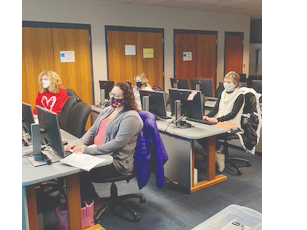
Intermediate Excel
Following the Beginning Excel class, this course will cover a more in-depth look at the offerings within Excel, including formulas, tables, calculations and conditional formatting. Dive into Excel with a guided exploration of how to create a new document and use the quick access toolbar, ribbon, and spreadsheet grid. This course will cover the basics of an Excel document including entering and formatting data and numbers, utilizing multiple pages and using Excel productively. This class is suitable for a learner that has some familiarity with the Excel software and would like further instruction in more specific uses, such as conditional formatting and functions, VLOOKUP and pivot tables.

Eligible UCare members may receive an allowance to spend toward community education classes. Members must have UCare insurance at the time of registration. Limits and restrictions may apply. Contact UCare for further information.
Laura Twaroski
Instructor
AL-A202-F1
Instructors:
- Laura Twaroski
| Date | Time | Location |
|---|---|---|
| Mon, Oct 12th 2026 | 6:30 - 8:30 PM | Educational Service Center/Staff Development Center |
| Mon, Oct 19th 2026 | 6:30 - 8:30 PM | Educational Service Center/Staff Development Center |
| Mon, Oct 26th 2026 | 6:30 - 8:30 PM | Educational Service Center/Staff Development Center |
AL-A202-F2
Instructors:
- Laura Twaroski
| Date | Time | Location |
|---|---|---|
| Mon, Dec 7th 2026 | 6:30 - 8:30 PM | Online Course |
| Mon, Dec 14th 2026 | 6:30 - 8:30 PM | Online Course |
| Mon, Dec 21st 2026 | 6:30 - 8:30 PM | Online Course |